Introduction to Meshery
For all those who are unaware of Meshery, Meshery is a cloud native management plane which provides users with operational best practices, lifecycle and configuration management, but also interoperates between various infrastructure, while enabling you with the tools and knowledge to glean the most of out your infrastructure performance, while keeping your overhead to a minimum.
Meshery's vision is to make the operating of any cloud infrastructure simplified. Meshery is created by the Layer5.
Layer5 is a community-first, Cloud Native company which has technology partnerships with various tech giants like Microsoft, CNCF, RedHat and many more to enlist. The community consists of open source leaders like maintainers of trending open-source projects, Google SoCers, Docker Captains, Cloud Native Ambassadors and many more (join in!).
What is mesheryctl?
Meshery provides you with a clean, robust, streamlined command-line interface to manage and benchmark your infrastructure, mesheryctl. With mesheryctl, not only you can manage your adapters & containers but you can also benchmark your mesh using the command line. mesheryctl provides support to a number of platforms so that we never miss out users. mesheryctl can be installed with a single bash command by simply executing:
in your terminal. You will see Meshery getting installed & fired up on port: 9081. You will see the output as
and you will be able to see the Meshery UI on https://localhost:9081.
If you are wondering if bash is only way to get mesheryctl, then here is the list of platforms which you can get mesheryctl describing all the different ways to get it.
| Platform | Supported? |
|---|---|
| Docker | ✔️ |
| - Docker - Docker App | ✔️ |
| Kubernetes | ✔️ |
| - Kubernetes - AKS | ✔️ |
| - Kubernetes - Docker Desktop | ✔️ |
| - Kubernetes - EKS | ✔️ |
| - Kubernetes - GKE | ✔️ |
| - Kubernetes - Helm | ✔️ |
| - Kubernetes - Minikube | ✔️ |
| - Kubernetes - OpenShift | In Progress |
| Linux | ✔️ |
| Mac | ✔️ |
| - Mac - Homebrew | ✔️ |
| Windows | ✔️ |
| - Scoop | ✔️ |
| - WSL2 | ✔️ |
| Raspberry Pi | In Progress |
We believe we have not missed any of the popular platforms for what it’s worth, we will be rolling out support for RaspberryPi and OpenShift soon 🎉🎉🎉.
If you are thinking about the requirements you would have to run mesheryctl, so to your surprise, to successfully run mesheryctl you will only need :
| a running Docker daemon |
Into the MesheryCTL
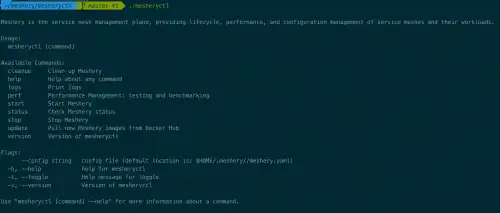
Once you have successfully installed, you will be having the power of a new CLI Command MesheryCTL. As you type mesheryctl into your terminal, you will be shown with the various sub-commands and flags mesheryctl can support.
Once you do mesheryctl system start, Meshery will pull its adapters and latest docker images. Meshery will also detect your Kubernetes configuration and will let you know if Kubernetes is running. Meshery will run it’s web-based user interface on localhost port 9081 and will let you select your choice of Provider before you can start managing your infrastructure with this powerful utility.
One of the most interesting sub-commands of mesheryctl is perf. |
The perf subcommand enables you to being managing the performance of your cloud native deployment and your workloads running atop of them. It lets you benchmark your infrastructure without using the Meshery UI from the command line interface itself. Once you type mesheryctl perf, it will present you with all the powerful flags you can control with CLI, including providing it with a --file flag that points to any of a number of performance test profiles that you may have saved.
An example usage of mesheryctl perf --[flags] can be
You can also provide a SMPS Configuration file with perf subcommand, with this file provided you will not have to specify url, duration, concurrent-requests & qps. However, if specified the value provided through file will be over-rided by value through CLI. For more info about file configuration, see here.
What's next?
Meshery is an ever-growing community with attracting contributors from across the globe. We always have a role for everyone whether to be a code-writer, a community manager or a marketer. Layer5 community is always open to welcome you warmly.
If this makes you excited, join the Layer5 community with just a click & someone will be there to make sure you do not get missed.
 Team
Team